
RosterApps helps you move from managing paper to managing people. Our Software-as-a-Service (SaaS) is a 100% Web solution, and does away with all the scraps of paper covering your desk and bulletin board in your breakroom. All your schedule changes and time-off requests are handled by our real-time system that you can set up to follow your organization's rules and that can be accessed from anywhere. Employees can manage their own schedules within the boundaries of the rules you establish.
RosterApps can be integrated with your current Time & Attendance system and Human Resources Information System (HRIS) for even greater efficiency.
If you have a workforce management need, we would love to talk with you about how RosterApps might be able to help your situation. Our clients and their thousands of employees can attest to RosterApps effectiveness. Your managers, employees, and your bottom line will thank you. Schedule a demo today.
One of the basic tasks in scheduling is assigning shifts. Typically you will assign an employee to a “line” which represents a repeating work pattern, or you will assign them a schedule that will not necessarily repeat and then repeat this process for each period (week/two weeks/month/etc.). Still another method is to allocate the shifts one-at-a-time by assigning them directly to employees or letting the employees choose which shifts they want to work. RosterApps covers all these methods. If you have another method or a hybrid of one of the standard methods we’d love to hear from you.
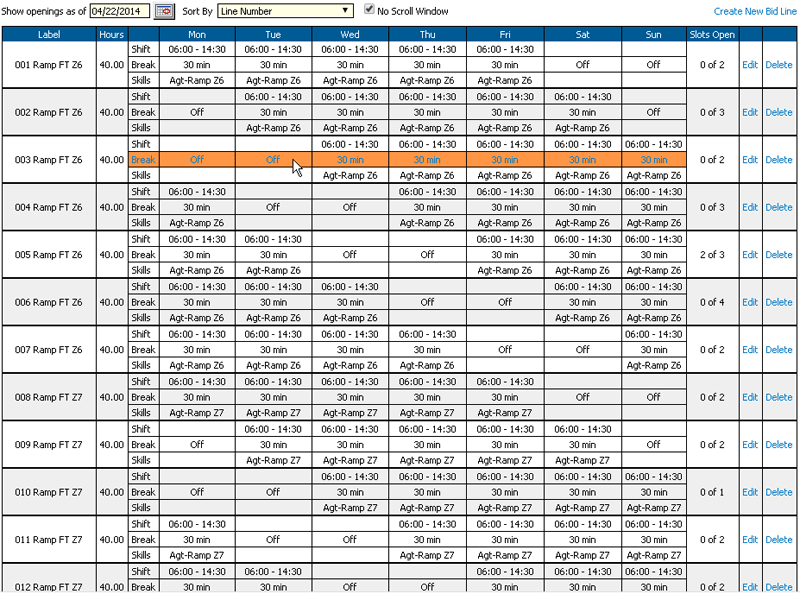
If your employees are generally assigned to steady schedules which repeat on some fixed cycle, you will want to use the RosterApps “Bid Package” feature where you can create or import the schedule line, manually assign the schedules to employee or have them bid for their desired schedule based on seniority, and then publish the results onto the employees’ calendars. You can them repeat the process every time you have a major schedule change due to operational needs.
Bid Packages are a very powerful feature of RosterApps and offers functionality not found in most other workforce management systems.
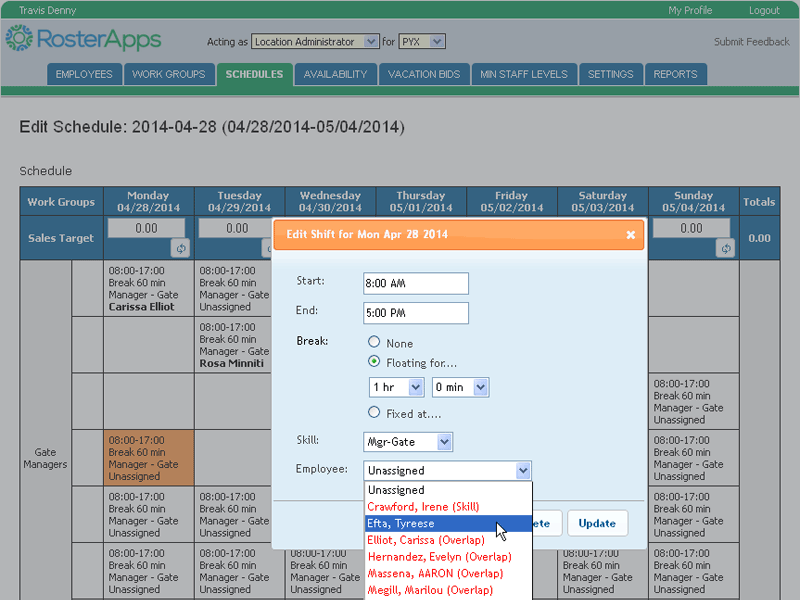
If your employees’ schedules change every week or two, you may wish to create the periodic schedules using our Schedule Builder feature. With Schedule Builder, you can add shift in an Excel like environment and then assign employees to shifts. Once you have completed the schedule you can publish it which will notify the employees of their assignments and apply the shifts to their calendars. You also have the ability to copy past schedules to future date with the option of retaining the assignments as well.
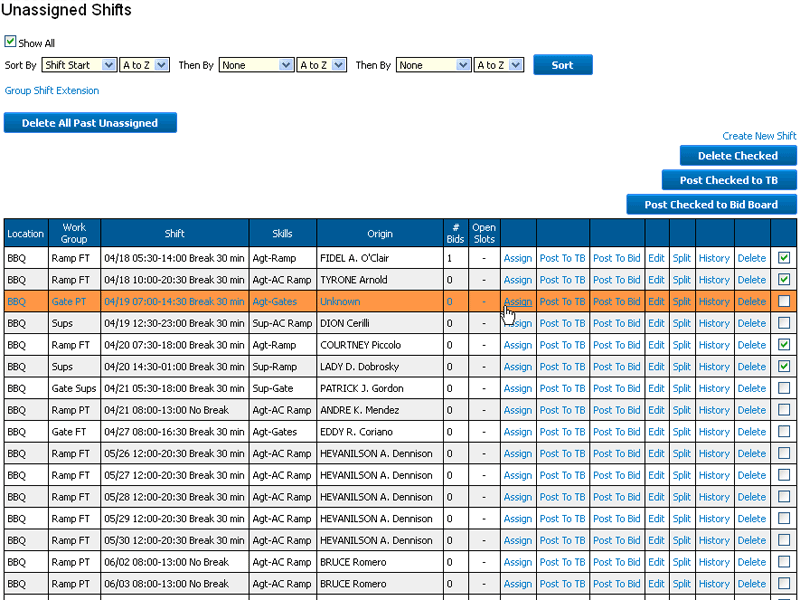
Individual shift assignments usually occur due to the need to fill open/overtime shifts caused by an un-planned increase in operational needs or the result of absences. You can also allow for employee self-scheduling by placing all the available shifts on a claim or bid board and allow employees to fill in their own schedules. Generally, individual shift assignments are made by direct assignment, placing the shifts on the trade board for claiming in first-come-first-serve manner, or placing the shifts on a bid board where employees can indicate their desire to work the shift and then the supervisor determines which employee will be assigned.
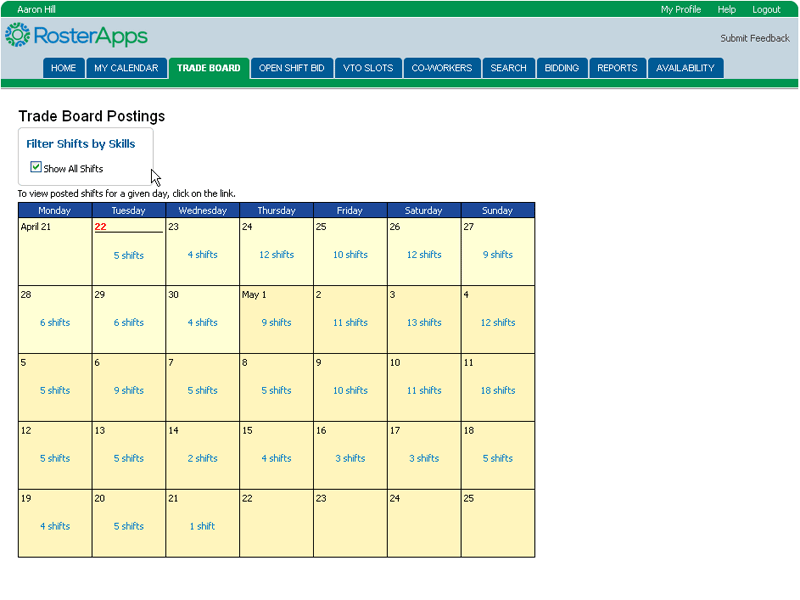
One of the most powerful self-service functions in RosterApps is the ability for employees to trade shifts among each other within the rules and constraints established by their employer. While the system can be configured to require supervisor approval for trades, most companies find that to be unnecessary since all checks and balances that the supervisor would review have already by checked by the system before the trade request was allowed to proceed. The ability to trade shifts empowers the employees to solve their own scheduling issues without involving management but still ensure that a qualified individual is covering the shift. The three main types of trades are those via the Trade Board, one-way trades, and two-way trades.
The trade board allows employees to post shifts that they are looking to give up to a list, which other employees can view. Interested employees can claim the shift on a first-come-first-served basis so long as claiming the shift would not cause a conflict with any of the rules under which they operate.
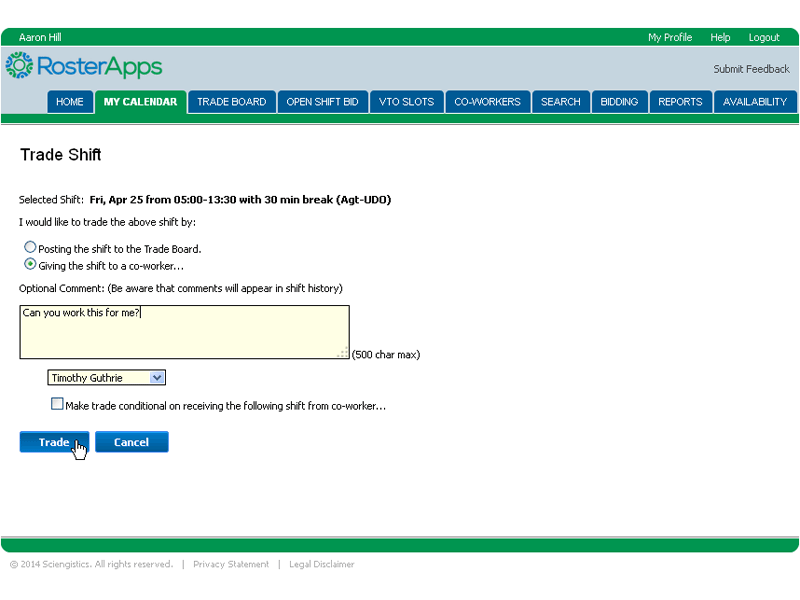
A one-way trade occurs when an employee wants to give up a shift and has a specific co-worker in mind to receive it. The employee assigned to the shift can initiate a request and the receiving employee must accept the request to complete the trade. Of course, if the trade would violate any of the rules in place, the request would be blocked before it could be submitted.
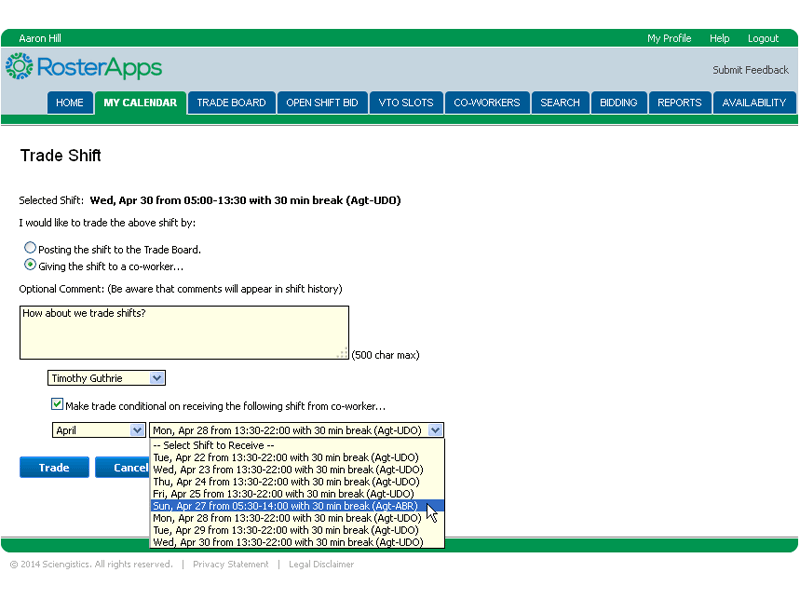
A two-way trade occurs when an employee wants to give up a shift to a specific co-worker and wants to receive one of the co-worker’s shifts in exchange. One of the two employees can initiate a request and the other employee must accept the request to complete the trade. Of course, if the trade would violate any of the rules in place, the request would be blocked before it could be submitted.
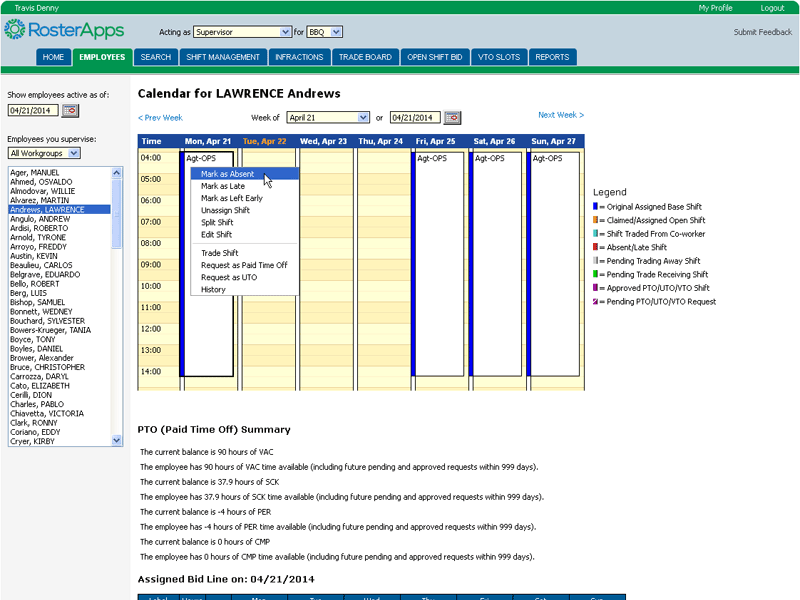
In a perfect world everyone would come in and work their shift as schedule and never get sick or have flat tires or all the other things that can interfere with the plan. For those occasions when things don’t go as planned, RosterApps gives you the ability to mark employees absent and record the reason (and any notes) so that the occurrence is recorded with the shifts history.
When you need to mark an employee absent, you can select if they were absent for the entire shift, arrived late, or left early. You will also be able to select the reason from a pre-defined set maintained by your company administrator. If the particular reason is tied to one or more accrual accounts, you can also specify the amount of hours they should be paid out of the accrual account(s) for the absence. You can also add notes to record with the incident.
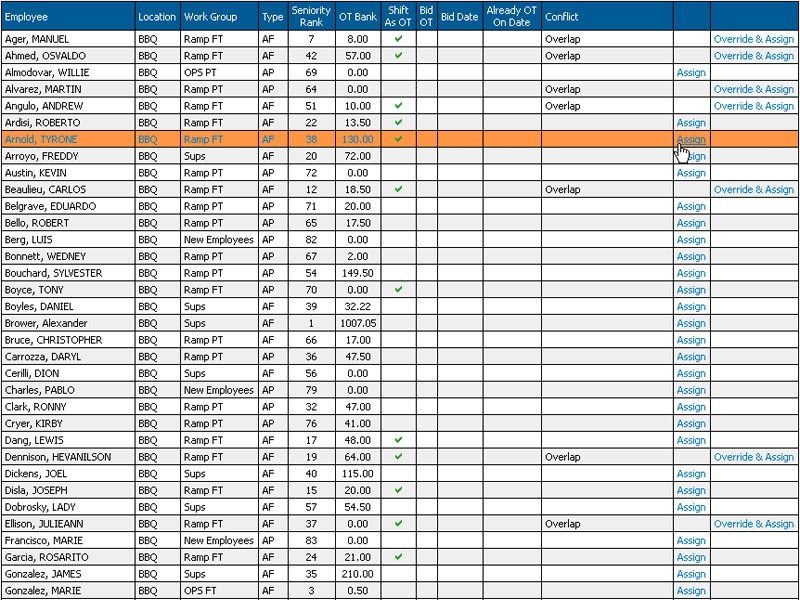
For those occasions when you need to cover the absence with another employee, RosterApps gives you the ability to select that option and then creates a “covering” shift which you can then assign to another employee.
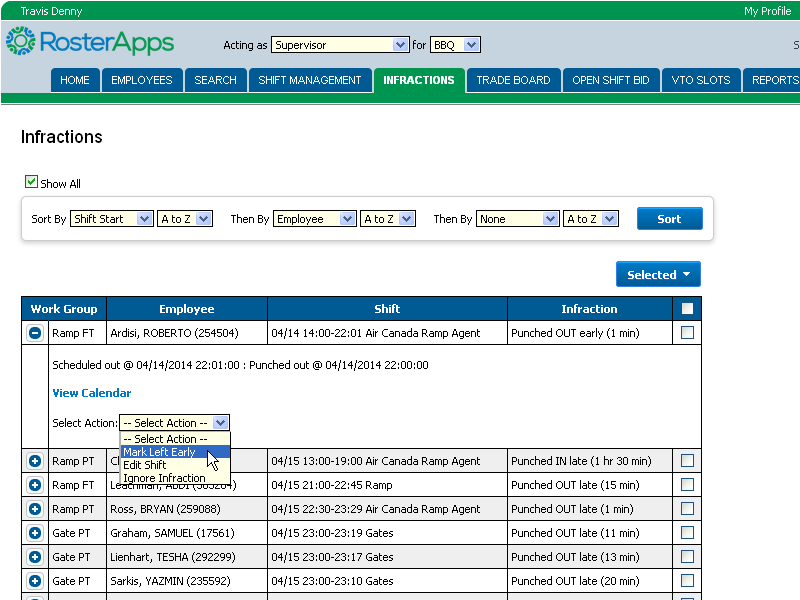
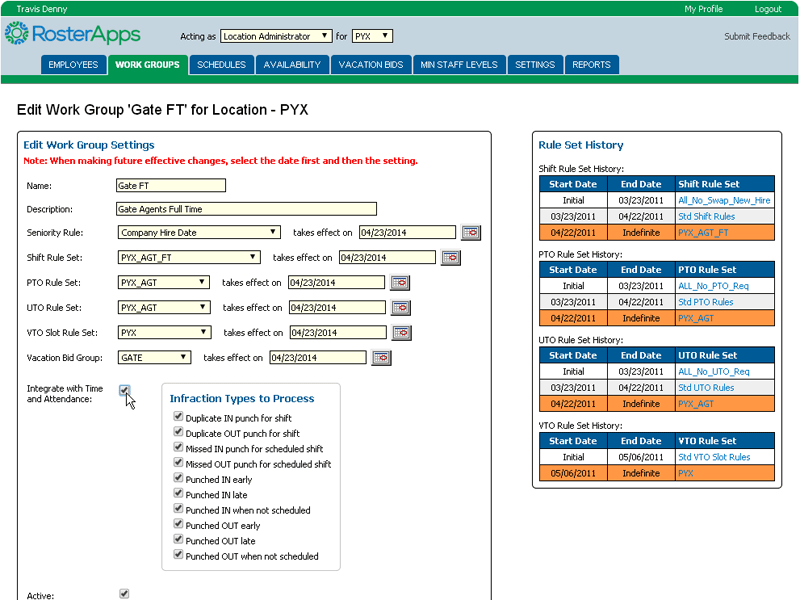
When RosterApps is integrated with a time & attendance system (or you are utilizing RosterApps’ time clock), you can take advantage of the Infraction Handling feature of RosterApps. Infractions are incidents where the punch times of the employees do not match (within the grace periods and rounding rules you establish) the scheduled shift times. The Infraction Handling page provides you with a filtered and sorted list of infractions that you can handle individually or in bulk. The options available for handling each infraction are based on the type of infraction.
Even the best employees need time off every once in a while. With RosterApps you have multiple ways to allow for this based on your company policies.
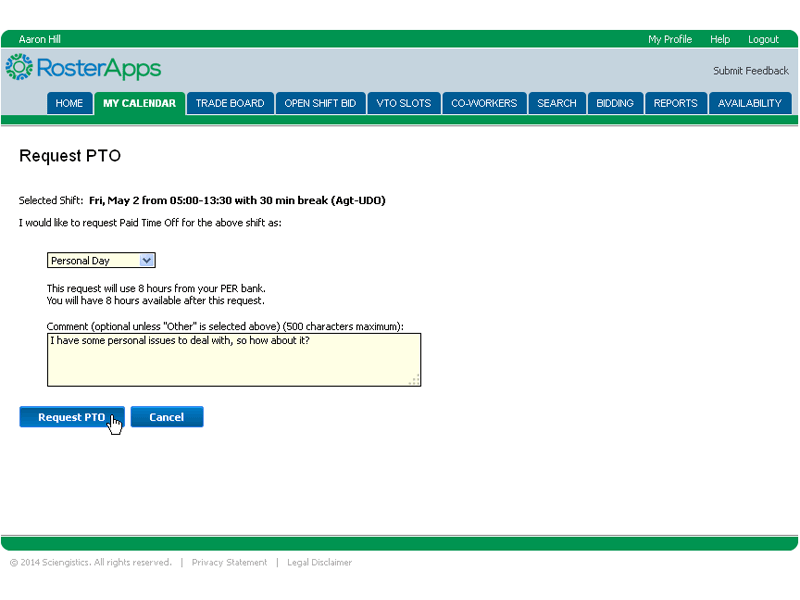
Paid time off can occur on a weekly basis or taken as day-at-a-time where individual requests are made against scheduled shifts. For annual vacation planning, the number of slots for each week is specified as well as how many weeks each employee is eligible for and the method of assigning weeks. Week awards can also be modified throughout the year (or whatever planning horizon you use). Individual shift paid time off requests are approved by a supervisor and can be sorted and filter by a number of factors. To make sure you don’t end up in a shortage situation due to allowing too much time off you can utilize the minimum staffing plan feature which will alert you if approving a time off request will put you in a deficit.
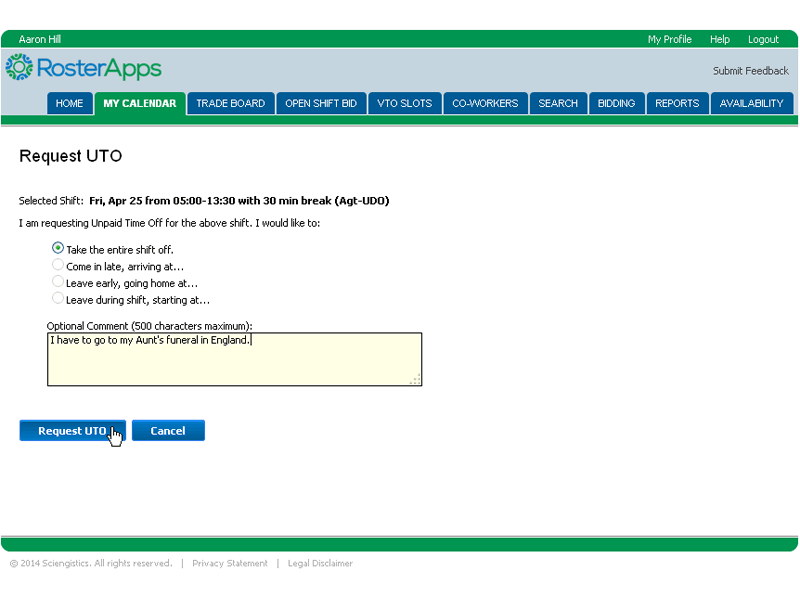
If your policies allow for it, RosterApps gives your employees the ability to request time off without pay. This might be beneficial in situations when an employee has exhausted their accrual account (or your company doesn’t have paid time off) and they need the time off and your operation is staffed well enough to allow.
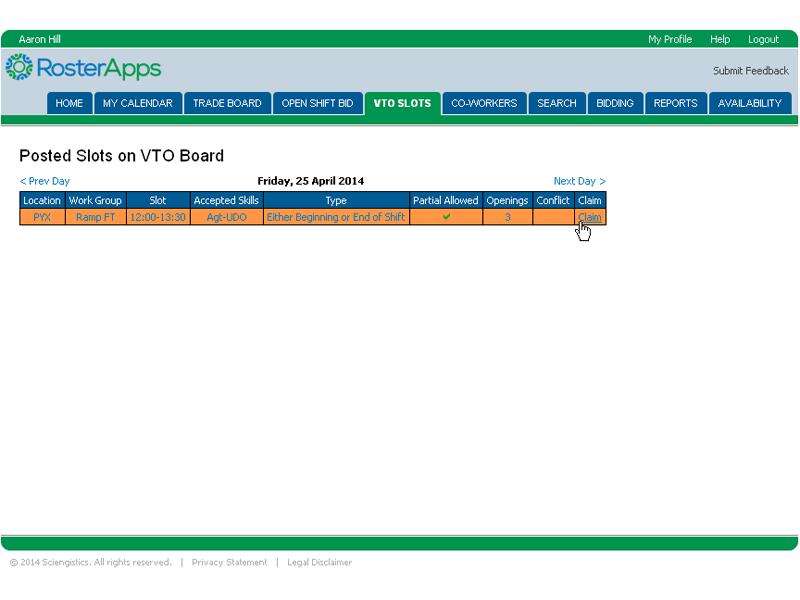
In some cases, the company might want to solicit volunteers to take off a shift, leave early, or come in late. Such a need might arise if business operations are expected to be less than originally planned. In this case, a supervisor can post a request to the Voluntary Time Off board and those employees that are willing to take the time off without pay and have qualified shifts can “claim” one of the available slots and receive automatic approval.
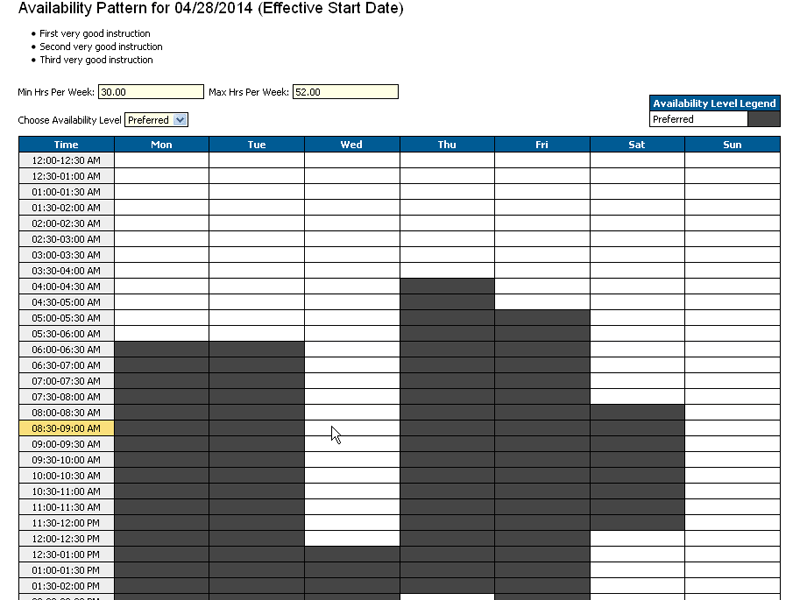
For those companies utilizing the Schedule Builder feature for assigning shifts, RosterApps provides a feature to allow employees and administrators to come to an agreement on their daily availability pattern. This pattern consists of the available time periods for each day of the week that the employee can be assigned to shifts. The minimum and maximum desired number of weekly hours can also be set.
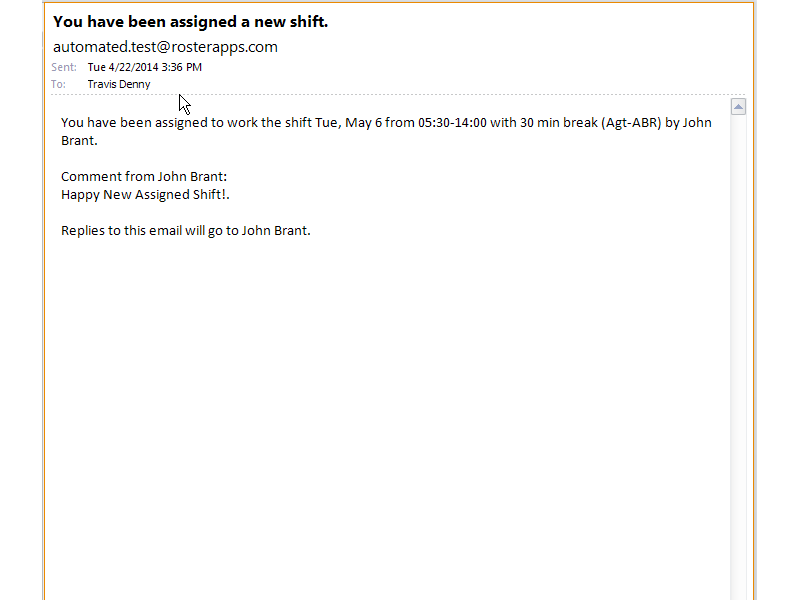
One of the most important aspects of a good employee scheduling system is the communication of schedules and changes to those schedules.
Any time that a shift is added, changed, or deleted from an employee’s calendar, the employee is notified via email (as well as text/SMS if they have requested to receive those). This also includes potential changes like trade requests from co-workers. This communication helps to cut down on the amount of times that an employee needs to log into the system to check their account/calendar for changes.
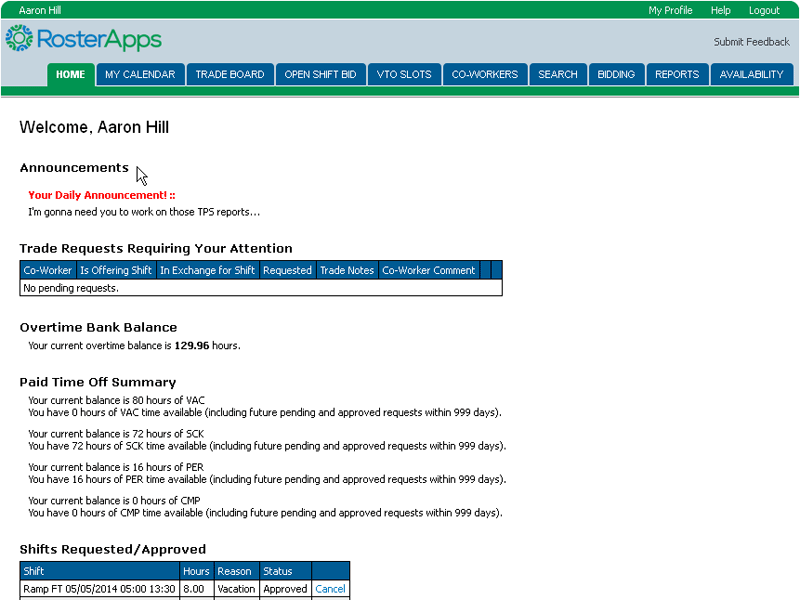
Location administrators have the ability to post announcements on the home page of employees belonging to selected work groups. These messages will generally be used for company informational messages and don’t necessary need to be related to RosterApps functionality.
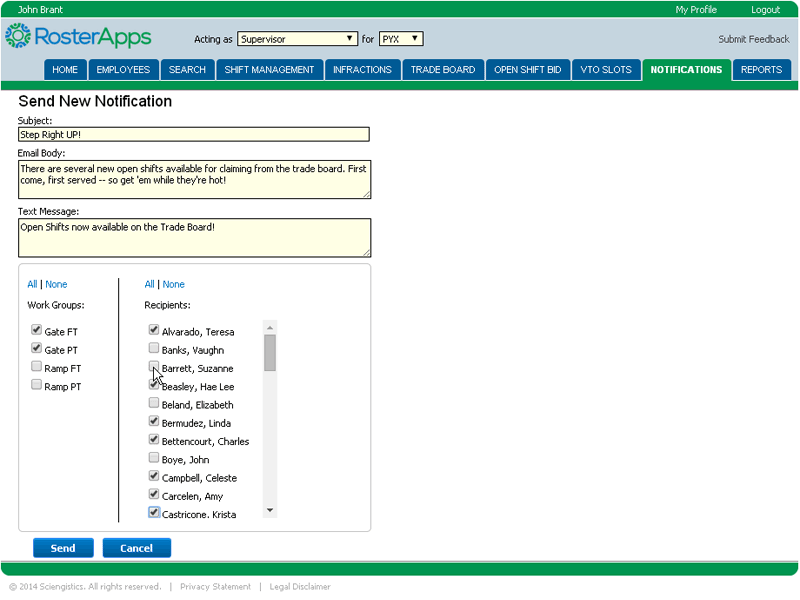
RosterApps has the ability to create an email (and optional text/SMS) message to be sent to selected or all employees for a location. This can be helpful when trying to fill last minute shifts or alerting off duty employees of operational issues they should be aware of.
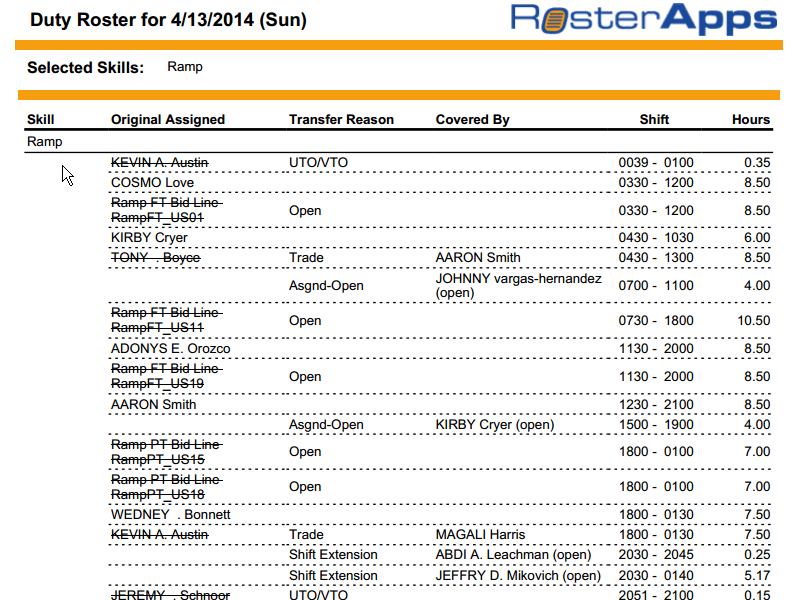
There are many reports available at each user level and cover a wide range of data. Since everything that happened to a shift is recorded in RosterApps, we have the ability to present whatever view you need and all in real-time. If there are any reports that would be helpful to your operation and we don’t already offer them, we can easily create one for you to run as needed.
We know that each company has different policies, procedures, and standards for employee scheduling and we don’t try to force you to change all that to fit into some predefined workforce management box. Instead, we give you the power to customize RosterApps through all the available settings available.
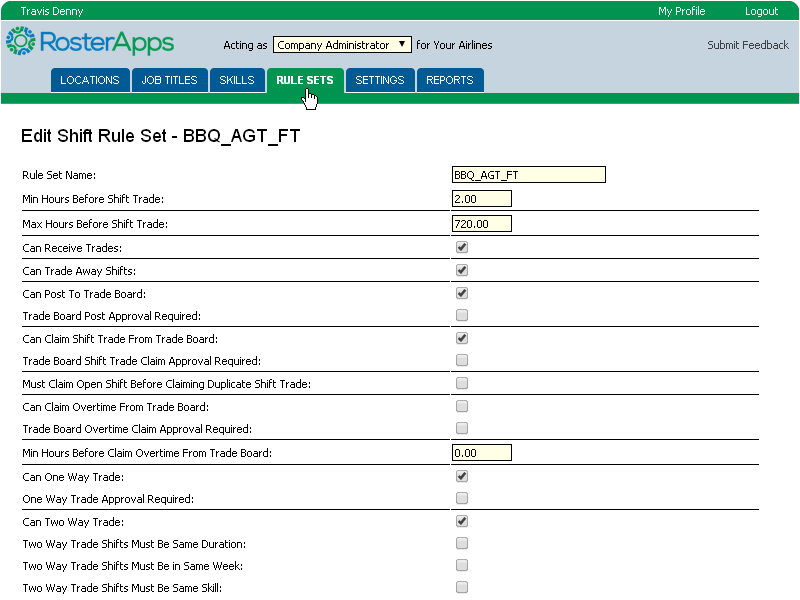
Each time an action is attempted in RosterApps, the system first verifies if that action will violate any of the rules associated with the shift(s) and employee(s) involved. If there is a conflict, then the action is blocked thus strongly enforcing your company policies in a fair and consistent manner. There are rule set specific to trading, overtime, paid time-off, unpaid time-off, work hours, etc. You can have as many different rule sets as you require and each work group and person can have specific rule sets assigned to them.
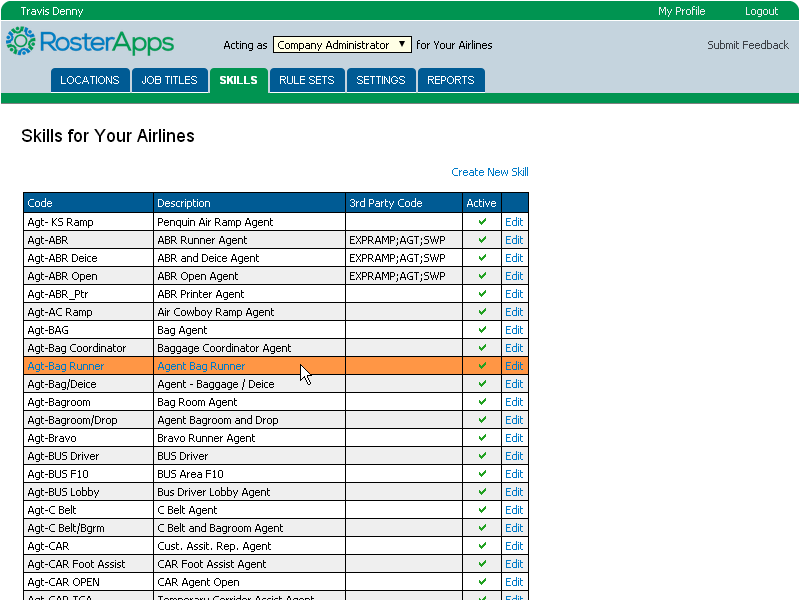
Each shift has one or more (but usually one) skill assigned to it and should be thought of as the task being performed during that shift. You can of course create as many skills as you need to define your operation. Skills must also be assigned to employees and an employee must have the skill(s) required by the shift in order to be assigned to the shift (of course, all the other rule checks must pass as well).
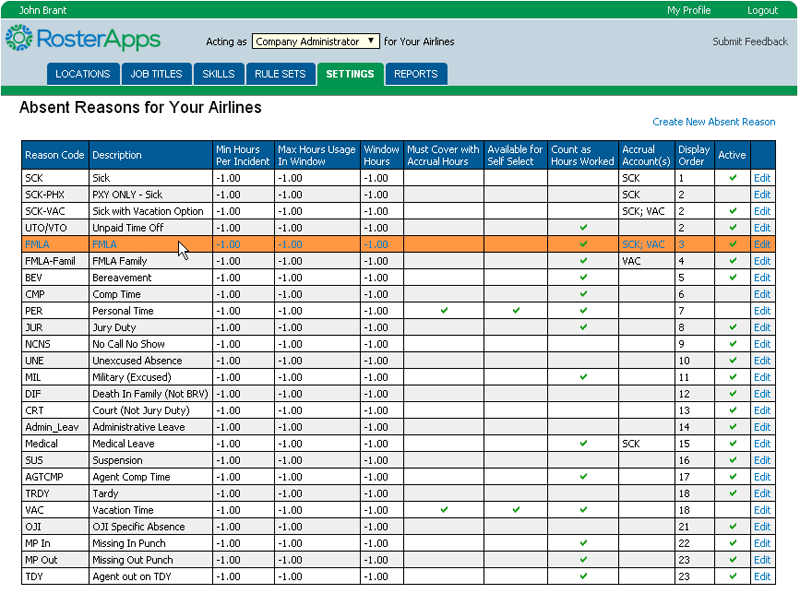
You have complete control over the types of reasons available for selection when marking an employee absent. In addition, these absence reasons can be tied to accrual accounts to indicate that they are eligible for pay if the employee has enough hours in their accrual account to cover the absence. For example, the “Sick – Paid” absence reason might be tied to the “SICKHRS” accrual account but the plain “Sick” absence reason may not be. You can also indicate which reasons are available for the employees to self-select if you allow them to mark themselves absent.
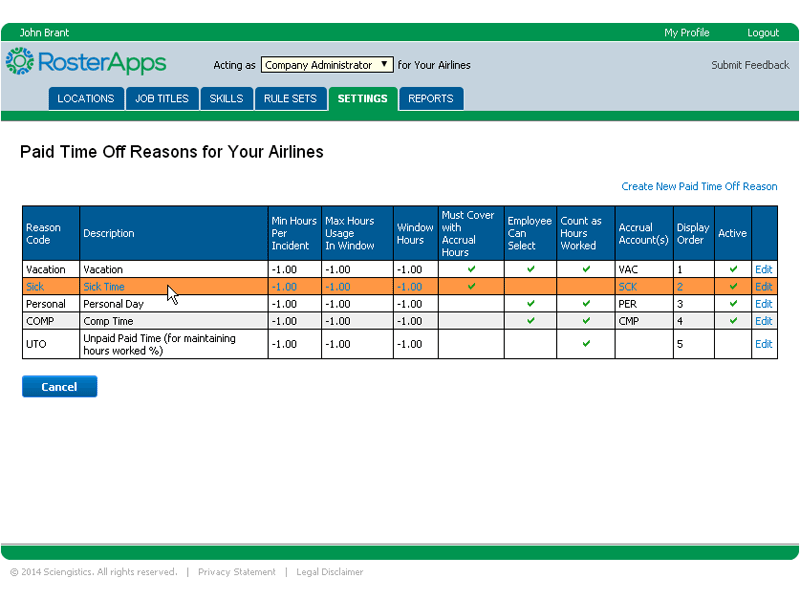
You have complete control over the types of reasons available for selection when an employee submits a paid time off request. In addition, these paid time off reasons can be tied to accrual accounts to indicate which account they are paid from. You can set up the rules such that the employee cannot make a request that will cause his or her accrual account balance to go below zero. You will also indicate which paid time off reasons are applied for vacation week awards.
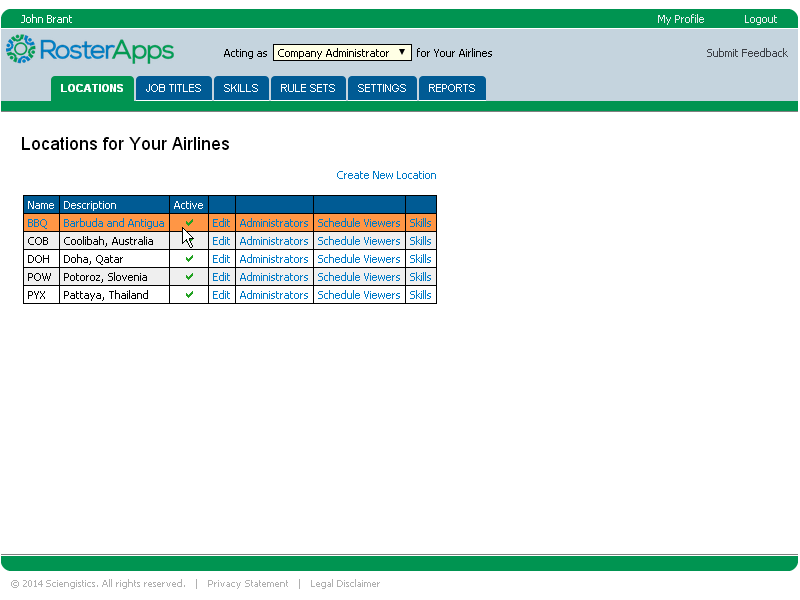
Within the company, the location is the highest level of organization. You can think of locations as physical or departmental, but most clients will set up locations based on physical location. A location might be an airport, store, warehouse, or anywhere an employee reports for work.
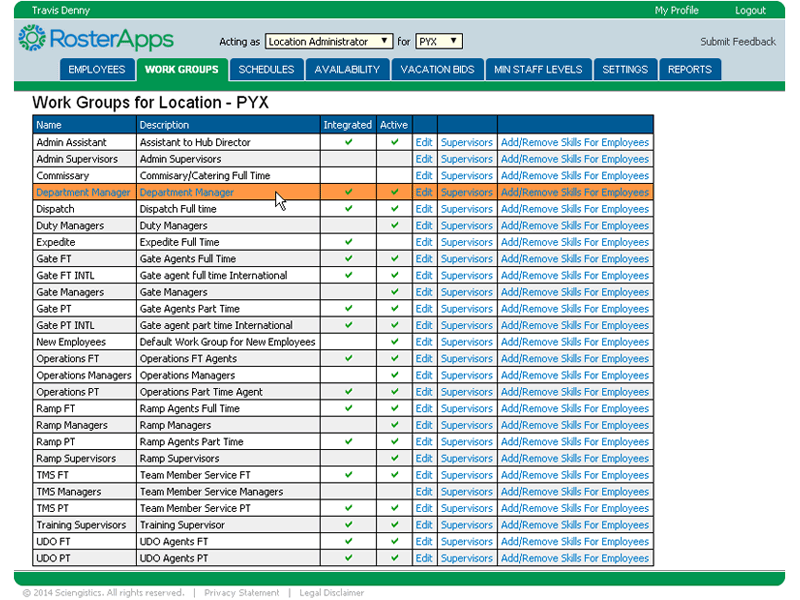
Work groups belong to locations and they can be thought of as the departments that the employees belong to. Specifically, work groups tend to be scheduled together whether you are using the fixed schedule/bid line method or the schedule builder method. In cases of seniority based assignments, people within the same work group are ranked against each other.
RosterApps utilizes role based access to control what tasks each user can perform. Each user has one or more user roles and can switch back and forth between the roles based on their needs. Each role must be assigned by someone acting at the next highest level.
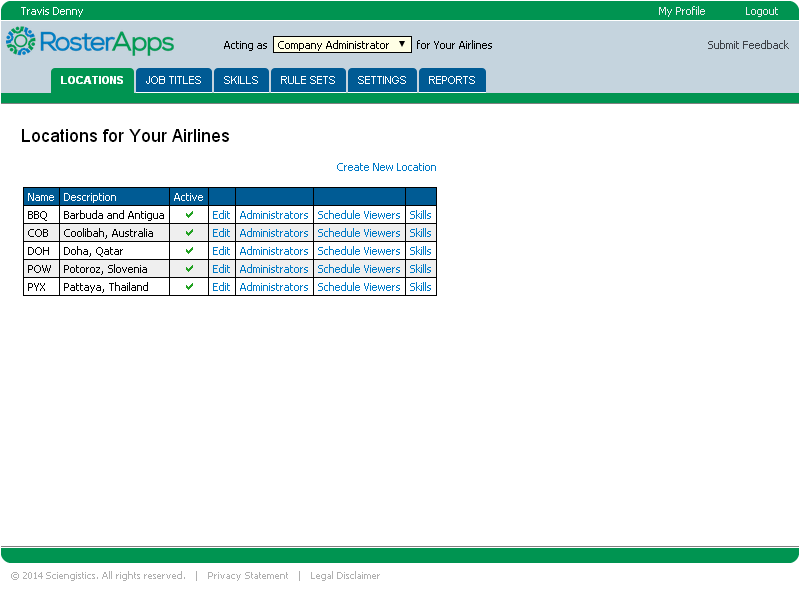
Company administrators are concerned with the high level configuration of the company and can create and make changes to locations, skills, job titles, rule sets, absent reasons, paid time off reasons, and overtime reasons. Company administrators can also add people to the location administrator role and the schedule viewer role. They can also run company level reports.
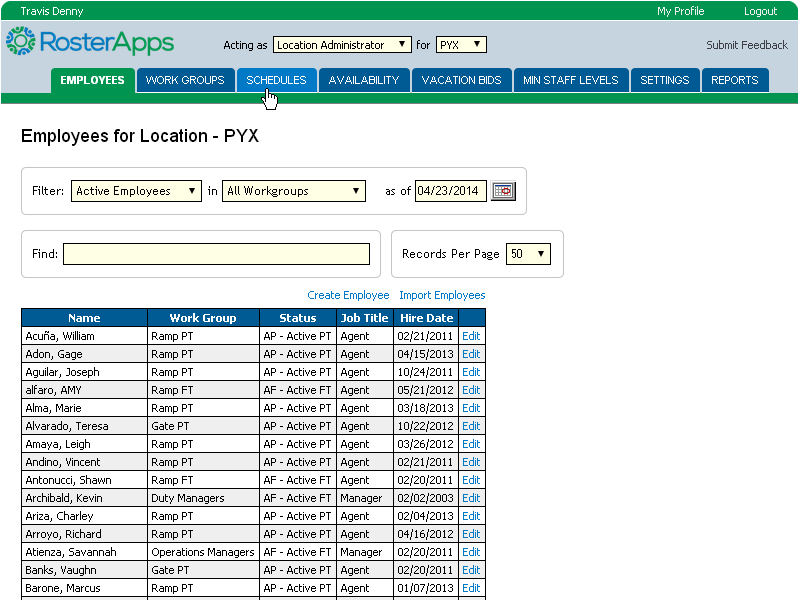
Location administrators can be thought of as the HR person at the location. They are mainly concerned with maintaining employee accounts and the running of shift bid packages and vacation bids. When acting on employee accounts they can transfer the person to another work group or location, edit the employee’s profile, view/edit the accrual account balances, edit the employee’s skill assignments, edit the rule assignments, adjust trade group rights, change employee status, and terminate employees.
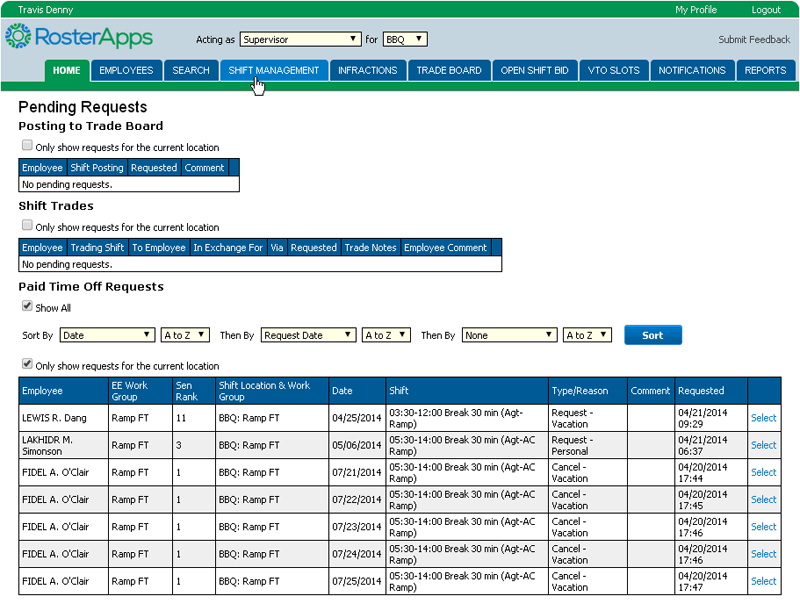
The supervisor role is mainly concerned with the day-to-day schedule changes that often take place. This can range from approving time off requests and trades (if required by the rules), assigning open shifts, marking employees absent, and handling infractions. As far as management roles, this is the most active level and needs to be at least checked on a daily basis even with a smaller workforce. This is also the role where RosterApps can generate the most time savings by a well set up group of rules which give the employees as much ability for self-service as possible while still maintaining company policies.
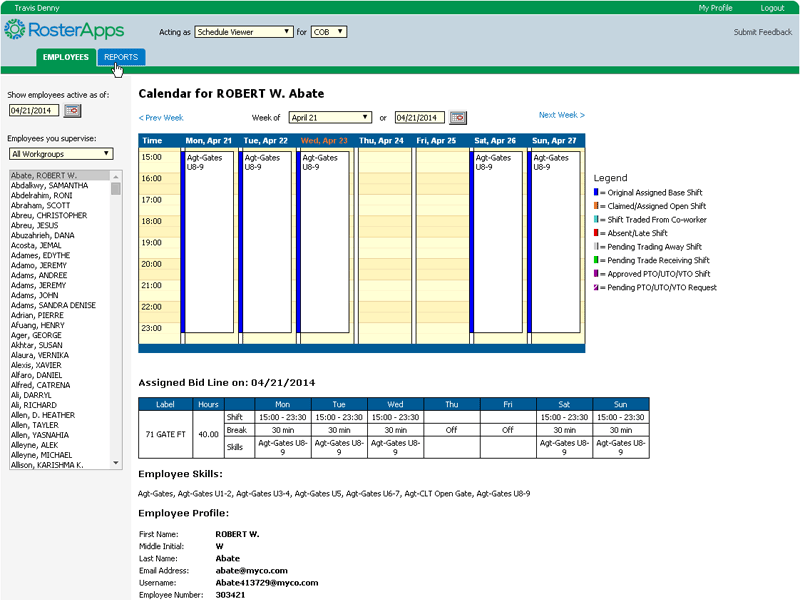
The purpose of the schedule viewer is to provide a way for a user to view everyone’s schedule at a location without giving them the ability to make any changes. Often times this role is assigned to lead employees who need to have the full picture but not the power as well as employees in corporate security or drug testing.
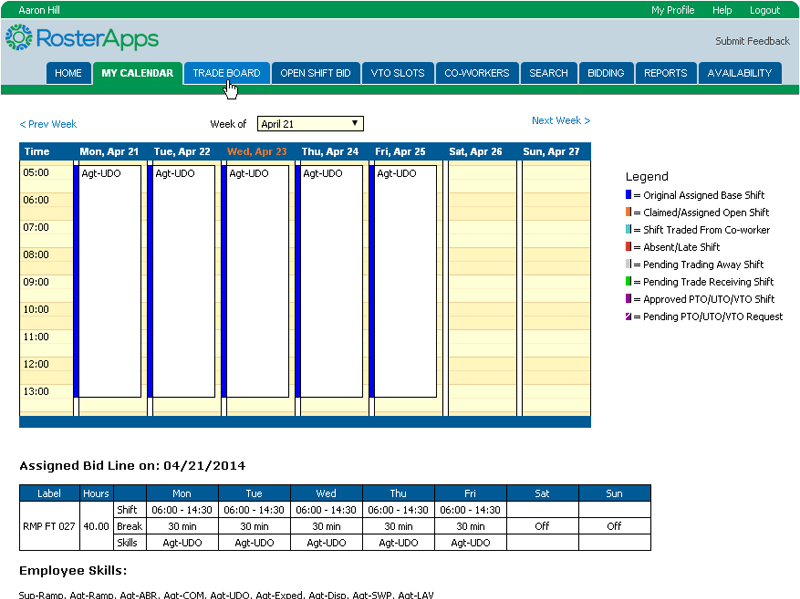
The employee role is the base role in RosterApps. Employee have schedules assigned to them and can take various actions upon those schedules (as allowed by the rules they operate under). Depending on how RosterApps is configured, an employee can bid on a work line, trade shifts, split shifts, request paid time off, request unpaid time off, view and select shifts from the trade board, bid on open shifts, claim voluntary time off slots, and run employee level reports.
Due to the intuitive design of RosterApps, employee level users generally do not require any training beyond notification of their username and password.
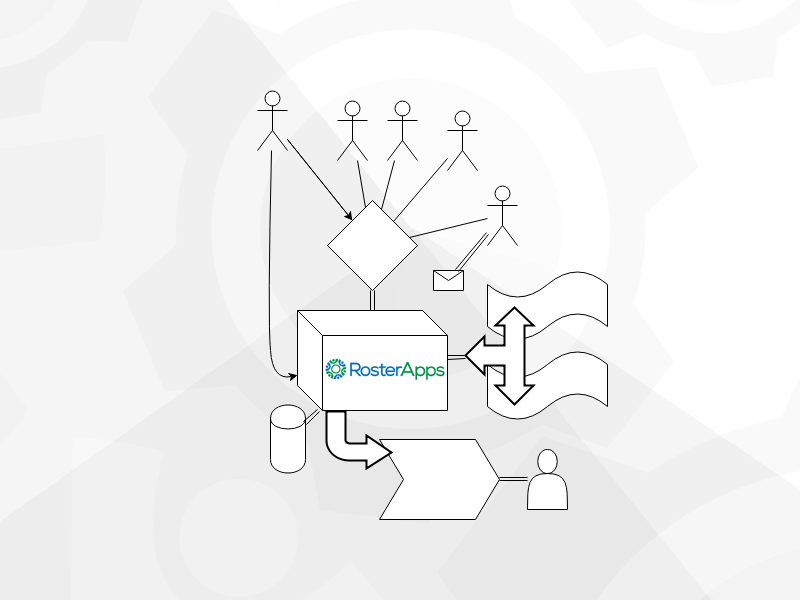
Because scheduling doesn’t live in a vacuum, you can integrate RosterApps with any other related system to improve the efficiency and effectiveness of your workforce management solution.
To gain even more efficiency with RosterApps we suggest integrating RosterApps and your time & attendance system so that there is no double entry involved with schedule updates. If you don’t currently have a time & attendance system or aren’t happy with the one you have, we can provide a full featured solution for you as well with punch capability (software and physical clocks), rounding, time cards review, pay rules, etc.
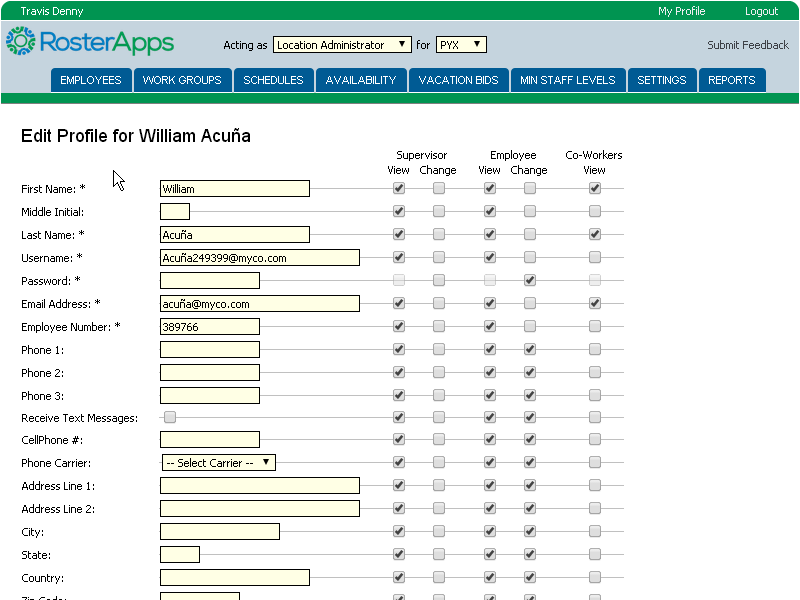
To simplify the addition of new employees as well as the synchronization of accrual account balances, RosterApps can be integrated with your HRIS. When new employees matching specified criteria (location, department, classification, etc.) are populated in the HRIS, they can be also populated in RosterApps automatically thus avoiding manual entry and avoiding possible errors.
RosterApps has a variety of Web Services available for importing or exporting data which makes it easy to set up a data source for other systems that are affected by schedule changes. For example, you might have a complex job assignment system that can assign tasks to employees within their shift and uses the expected employee schedules to develop an efficient distribution of these tasks. Utilizing the RosterApps Web Service, this system can automatically pull the latest schedule information from RosterApps so that last minute trades, absences, and assignments are taken into account.
 Loading....